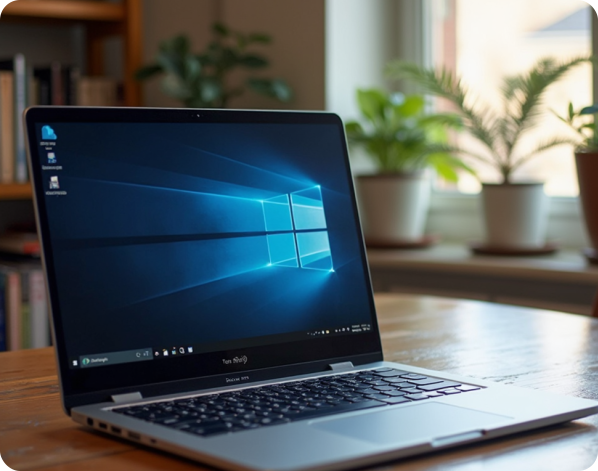
At VPS Blocks, we have many customers who use Windows Server operating system, which is designed to build and manage the infrastructure for networks, applications and web services of various sizes, from small teams through to major data centres.
Many businesses are familiar with the Microsoft ecosystem of products and this option suits them well, as they need to utilise a variety of popular Microsoft applications and services such as developing web applications in ASP.net or creating databases in SQL Server. Lots of other Microsoft applications are also designed to run at their best on Windows Server.
Windows Server boasts excellent security and is very easily scalable. It is designed to handle high resource demands and has high memory limits, which is what makes it so popular as an enterprise solution for major business and government organisations. VPS Blocks supports Windows Server versions from 2016, through to the very latest, 2025.

Microsoft’s Exchange Server allows users to access and synchronise their email messaging platform (including calendars, contacts, meeting scheduling and collaboration) from their tablets, desktops, mobile phones and web-based systems. It’s an ideal business solution for small, medium and large teams, wherever they may be located.

The Microsoft Active Directory runs on Windows Server and allows you, as an administrator, to manage permissions and access to network resources for your team. Create and manage users and groups, and control their access to various applications, computers, printers, files, folders or policies.

Microsoft SQL Server is a very well-respected relational database management system that stores and retrieves data requested by other software applications on the same computer, or on a remote computer over the internet. There are a few different levels of SQL server, depending on the amount of resource capabilities you require.

Millions of businesspeople use SharePoint every day. SharePoint allows teams to organise, store, and share documents and other files, collaborate on changes, search for and within documents, automate certain processes and tasks, and control access to these files and documents depending on who the user is. It can also be used to create intranets for info sharing and staff communication.

If you have created a custom-built application for your team to use, or for your customers and suppliers to access, your Windows Server can host these applications easily.

Your Windows Server allows you to create Remote Desktop Services for your team, so that they have access to all their usual applications, data, files and folders wherever they may be and regardless of what device they are using. It also makes it easy for you as an administrator to easily update software and control access permissions.

Many of the popular Control Panels are designed for use on a Linux-based system. The Plesk Control Panel is one of the few well-regarded Control Panels that run on Linux but are also specifically suited to use on a Windows Server running Microsoft applications. Because it works for both languages, the Plesk CP is a great choice if you are hosting both Linux and Microsoft-based websites as you don’t need to switch interfaces when moving from site to site.
This is the bare bones to get started with Windows Server.
For a better experience this is a great choice.
For a robust setup running most applications.
When you need to have processing capability and RAM at your disposal.
*please see terms of service

Dedicated resources:
Each VPS RAM & NVMe storage resources purchased are dedicated. They are not oversold to ensure performance is maintained.

High Availability:
Should the physical server your VPS is connected to fails, your VPS will automatically reconnect to the next available server

SATA Storage
SATA storage is ideal for taking backups or storing large volumes of user data. SATA storage is not included in any backups taken and backups of this data should be managed by you

Full Administrator/RDP Access
Get full and complete control over your cPanel VPS with VPSBlocks. You get access to RDP to your server and much more with us

Free Support with Standard SLA
Every customer gets access to technical support via phone, tickets or live chat

Managed Backups:
2 backups taken weekly. We keep up to the last 5 backups. $14.95 per month. If you wish to have offsite backups the cost is $29.95 per month

Full Server Management:
Server management including application installation, OS patching and server configuration and Managed Backups - $87.95 /mo

Extra NVMe Storage: 25c/GB /mo
Running low on disk space? No worries, you can order more disk space for 25c per GB per month

Extra SATA Storage:15c/GB /mo
Running low on SATA space? The great thing is, we have plenty more space we can give you. It costs 15c per GB per month.

Managed Migrations
Moving from one location to another can be a challenge. We can help you work through this process. Visit our Data Migration Services page to find out more.
Customise your Windows VPS by choosing your CPU cores, RAM, NVMe and SATA storage. Build a powerful Windows server tailored to your applications, users, and workloads, with the ability to scale as your business evolves.

Windows 2016 Std (64bit)
Windows 2019 Std (64bit)
Windows 2022 Std (64bit)
Windows 2025 Std (64bit)
CPU CORES?
DEDICATED RAM?
NVME/FLASH DISK?
SATA BACKUP DISK?
FREE BANDWIDTH?
OPERATING SYSTEM
AlmaLinux 8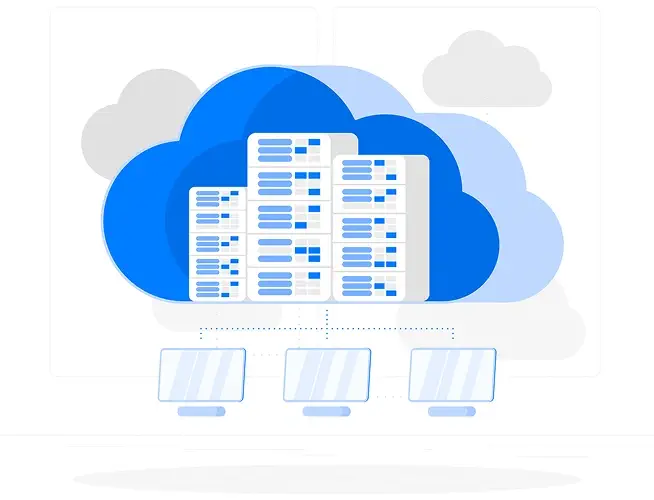
Network speed won’t be a problem when you deal with VPS Blocks. We’re proud of our reputation for speed and reliability. The VPS Blocks network includes feeds from Telstra, Optus, IINET/TPG, NextGen, IX and PIPE. This ensures maximum network efficiency and minimal downtime should any routes be disrupted due to provider issues.
BGP routing ensures that your connection always takes the shortest possible route, selecting the best path through our network partners from your location.
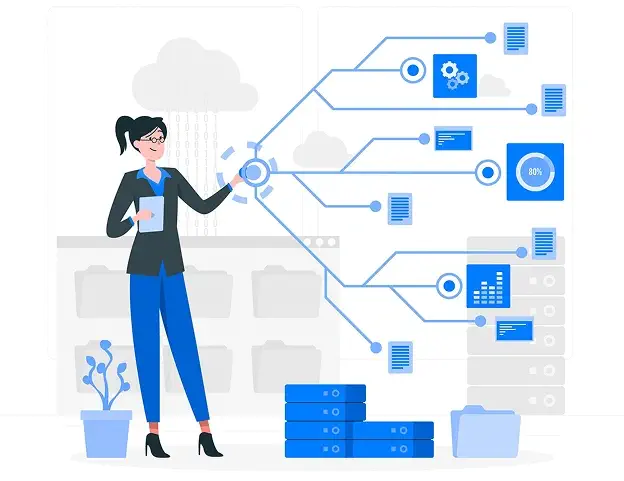
Even with our dedicated control panel with simple and fast management options, some VPS Blocks clients find it very cost-effective to minimise the hours they spend managing their VPS hosting by getting the professional VPS Blocks experts to help out by:
Take a look at these options when you place your online order.
Find clear answers to common questions about our services, features, and support below.
Windows Server is a family of server operating systems developed by Microsoft to manage network services, resources, and applications. It provides powerful tools for running websites, managing databases, handling file storage, and enabling remote desktop access for businesses.
Key features of Windows Server include Active Directory for user and resource management, IIS for web hosting, file and print services, high availability, and scalability. It also includes advanced security features like Windows Defender and the ability to integrate with Azure for cloud services.
Windows Server has several versions, with the most recent being Windows Server 2025. Previous versions include Windows Server 2022, 2019, 2016.
Each version offers specific features and improvements, with the latest version including enhanced security, better hybrid cloud integration, and improved container support.
Yes, you can upgrade from older versions of Windows Server (like 2012 R2 or 2016) to the latest version (e.g., Windows Server 2022). Upgrading to 2025 requires an entire new VPS to be provisioned and cannot be upgraded from previous versions.
However, it’s important to review system requirements and compatibility before performing an upgrade to avoid any issues.
Windows Server uses Active Directory (AD) to manage users, groups, and permissions. Through AD, administrators can create and manage user accounts, assign permissions, and organize resources into organizational units (OUs) for easier management.
Yes, it runs just as well as any other operating system does in a virtual environment.
Software can be installed on Windows Server via the Windows Server Manager, PowerShell commands, or through downloadable installation packages (e.g., EXE, MSI). Administrators can also use Windows Server’s remote desktop feature for installing software remotely on servers.
Securing a Windows Server environment includes applying regular patches, configuring firewalls, using strong passwords, and implementing user access control via Active Directory. Additionally, Windows Defender, encryption, and antivirus software can be used to enhance security.
Yes, Windows Server includes Internet Information Services (IIS), a web server that allows you to host websites and web applications. IIS supports technologies like PHP, ASP.NET, and Node.js, making it suitable for hosting a wide variety of web applications.
Windows Server includes built-in tools like Task Manager, Resource Monitor, and Performance Monitor to track server performance. These tools allow administrators to monitor CPU usage, memory, disk performance, network traffic, and other system metrics. You can also set up alerts for unusual activity or performance degradation.
 My Account
 Service Status
 Help Center


